

Home office from scratch: what tools do you need to work comfortably?
Working from home sounds comfortable until a week at the kitchen table leaves your back aching and a video call drops at the worst possible moment. A well-equipped home office isn’t a luxury; it’s a condition for productive and healthy work. Here’s what you really need to start from scratch without overspending.
1. Your workstation: ergonomics first
The foundation is a desk at the right height and a chair with adjustable seat height, backrest, and armrests. If you can afford it, consider an electric height-adjustable desk: switching between sitting and standing a few times a day takes pressure off your spine.
The top edge of your monitor should sit roughly at eye level, with the screen about an arm’s length away. Working on a laptop? Put it on a stand and connect a separate keyboard and mouse. Mind the lighting too: ideally the window is to the side of your desk, and in the evening a lamp with warm light helps.
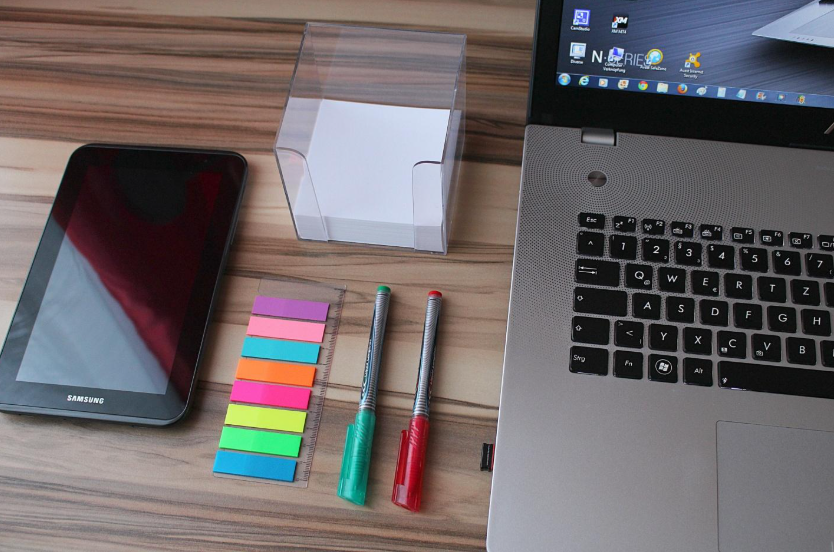
2. Hardware that makes a difference
- Stable internet: if your router is far away, go for an Ethernet cable or a mesh system. Signal drops during video calls are the most common remote-work headache.
- A headset with a microphone, ideally with noise cancellation. Your colleagues won’t hear the washing machine or the neighbor’s dog.
- A webcam: the one built into your laptop is often enough, but a separate Full HD camera noticeably improves image quality.
- A docking station: one cable connects your monitor, power, and accessories, and you can take your laptop with you at any time.
3. Software: an office suite for the whole household
In many homes, more than one person works or studies remotely: you work, your partner does too, and the kids write essays. Instead of buying several licenses, consider Microsoft 365 Family, an annual subscription you can share with up to five other household members.
What does the plan include?
- Word, Excel, PowerPoint, Outlook, and OneNote, always in their latest versions, on PC, Mac, Android, and iOS,
- 1 TB of OneDrive storage per person, up to 6 TB of cloud storage in total,
- Microsoft Defender to protect the whole family’s devices,
- Microsoft Teams for group calls lasting up to 30 hours with as many as 300 participants.
Each user can be signed in on up to five devices at the same time. The plan also includes Copilot AI features in Word, Excel, and Outlook, but only the subscription owner can use them.
Many people still search for the suite under its old name, office 365 family. Microsoft renamed it Microsoft 365 in 2020, but it’s the same service, only expanded. With office 365 family, you get apps, cloud storage, and protection in one package, and new features reach you automatically.
4. Communication and work organization
At the office, you can just walk over to a colleague’s desk. At home, messaging apps take over that role: Teams, Slack, or Zoom, depending on what your company uses. A shared calendar (e.g. in Outlook) helps you plan your day, and a simple tool such as Microsoft To Do, Trello, or Asana keeps track of tasks.
Set fixed working hours and block them out in your calendar. The line between work and home blurs faster than you think.

5. Security and backups
A home network is rarely as well protected as a corporate one. Change your router’s default password, keep your system updated, and use a password manager. If your employer provides a VPN, use it to connect to company resources.
Don’t forget backups. Syncing your folders with OneDrive means that even if your laptop fails, your documents stay safe in the cloud.
Summary
A comfortable home office rests on three pillars: an ergonomic workstation, reliable hardware, and good software. If several people in your home work or study, office 365 family lets you equip the whole family with office apps, cloud storage, and device protection in a single purchase.
FAQ: frequently asked questions
Do I need a second monitor to work from home?
It isn’t essential, but it makes work much easier: you can run a video call on one screen and keep your documents open on the other. The easiest way to connect one to a laptop is through a docking station.
How many people can use Microsoft 365 Family?
Up to six: the subscription owner and five invited people. Each of them has their own account and 1 TB of OneDrive storage, and can be signed in on five devices at the same time.
Where is the best place to buy computer software?
You can buy software directly from the developer (e.g. Microsoft Store), usually at the list price. It often works out cheaper to buy on digital marketplaces such as G2A.COM, where you can compare prices from many sellers in one place. Before you order, check how the product is activated (with a code or through a Microsoft account) and whether the offer covers your region. It’s best to buy a new subscription before your current one expires, so you don’t lose access to the apps’ full features.


